Photo to GIF With AI: Animate Any Picture (2026 Guide)
 ImagenGIF
Turn a photo into a GIF with AI. Learn what to upload, how to describe the motion, which settings to pick, what it costs, and when a video-to-GIF tool is better.
Photo to GIF with AI means you upload a still picture, describe what should move, and an image model draws the frames that make it move. It is different from a converter such as a video-to-GIF tool, which can only cut footage that already exists. With AI, a single photo of your dog, your mug or your cat is enough.
This guide covers how it works on ImagenGIF, what makes a photo animate well, how to write the motion prompt, and what it costs.
How AI animates a photo
ImagenGIF uses OpenAI's GPT-Image-2.6, released on November 4, 2026, which can output an animated GIF directly. When you add a photo, the site asks the model to animate that exact photo and keep the same subject, face, colors, background and framing. The model then draws all the frames in one pass and they play on repeat.
The motion is drawn, not filmed, so it suits short, simple actions: a head tilt, a blink, a wag, steam rising from a cup. If you have a video or a burst of photos instead, a video-to-GIF converter is the right tool; ImagenGIF does not convert videos.
Step by step: turn a photo into a GIF
- Open the ImagenGIF generator and sign in. Adding a photo needs an account.
- Choose the GIF output, then press "Add a photo" and pick a JPG, PNG or WebP file. The photo must be at least 300 pixels wide and tall; the site shrinks large photos to 1,280 pixels on the long side before uploading.
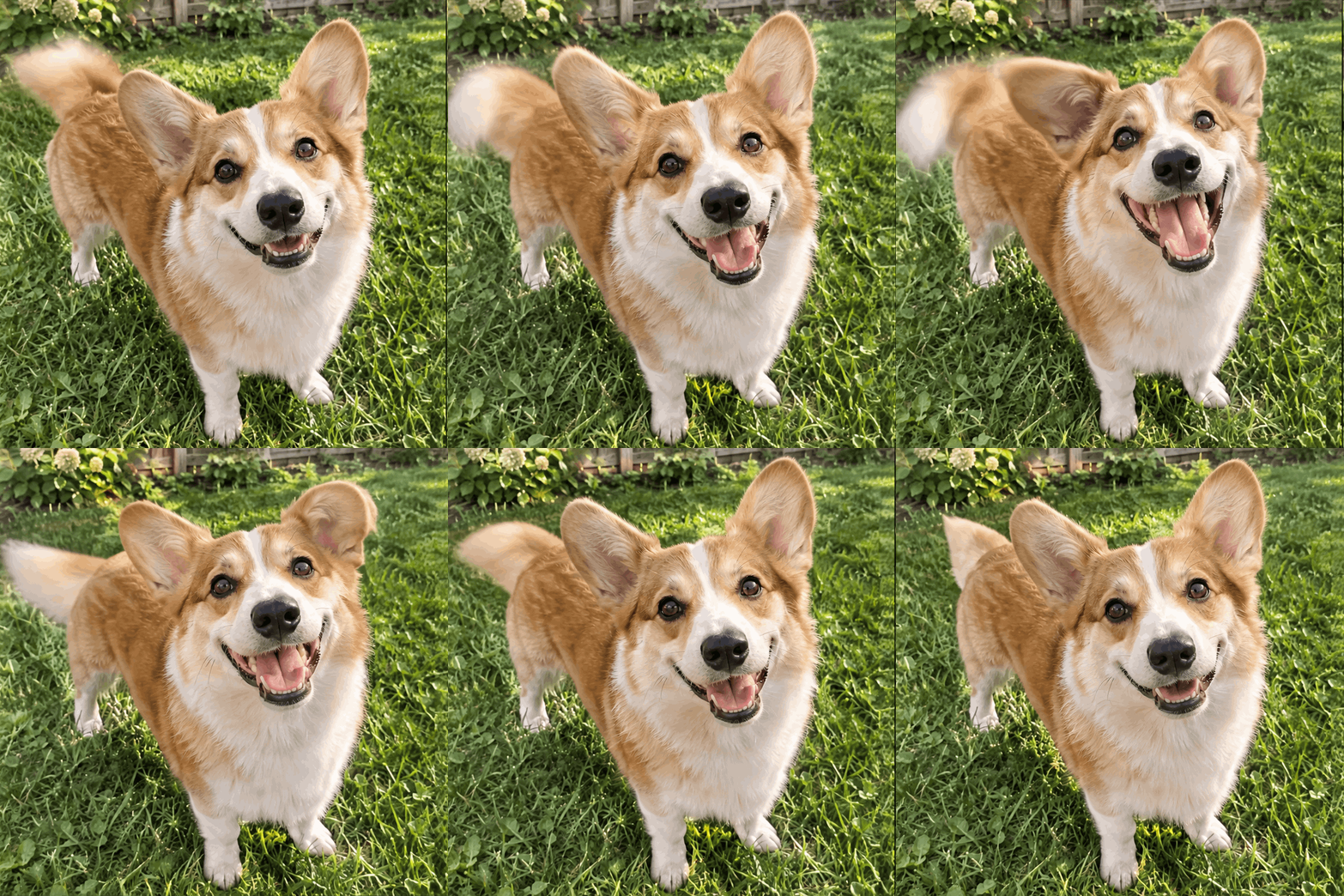
- Describe the motion in one sentence, for example "the dog tilts its head left, then right, and its ears flop".
- Pick the frame count, speed and shape. The shape follows your photo, so nothing important is cropped.
- Generate. A Standard GIF takes about 20 seconds.
- Download the file and use it anywhere GIFs are accepted.
Here is the kind of result to expect from a pet photo and a one-line prompt:
What makes a photo animate well
- One clear subject. A pet, a person-free object, a plant, a cup. Crowded scenes give the model too many things to keep consistent.
- Sharp and well lit. Blur and heavy shadows come back as blur and shadows in every frame.
One rule matters before anything else: do not upload photos of real people. ImagenGIF's terms rule out GIFs of real people, whether famous or not, as well as minors, logos and copyrighted characters. Pets, objects, food, plants and original artwork you own all work.
How to write the motion prompt
Describe what moves and what stays still. Two parts are enough: the action, and a line that locks the rest.
- "The cat slowly blinks and yawns. Everything else stays still."
- "Steam rises from the mug and the leaves on the plant sway gently."
- "The puppy tilts its head to one side and back, ears flopping."
Prefer actions that repeat, such as blinking, swaying or wagging, because a GIF loops. A story with a start and an end will jump when it restarts.
For a caption on top, use the GIF meme generator. For pets, the pet GIF maker has prompts that suit cats and dogs.
Settings: frames, speed and quality
ImagenGIF offers 8, 12 or 16 frames at 70, 120 or 200 milliseconds per frame, so a loop lasts from about half a second to just over three seconds. Start with 12 frames at the middle speed.
Standard uses the fast Flare model and suits tests and everyday GIFs. HD uses the Sunburst model, takes about a minute, and keeps faces and fine detail steadier from frame to frame. The GPT Image 2.6 page explains the two models.
What it costs
You buy credits in packs, with no subscription. A Standard GIF costs 3 credits (4 at 16 frames) and an HD GIF costs 6. Packs start at $4.99 for 40 credits, which puts a Standard GIF at about $0.37 in the smallest pack and $0.21 in the largest. Credits do not expire and a failed generation is refunded automatically. See pricing for the full list.
Limits to know
- Uploaded photos are kept for 7 days.
- Results can drift. A face or pattern may change a little between frames, and the loop may not be perfect on the first try. Change the prompt or settings and generate again.
- The GIF is short by design: 16 frames at most.
FAQ
Can AI turn a photo into a GIF? Yes. Upload a photo, describe the motion, and the model returns an animated GIF that keeps your subject.
Is photo to GIF free? Not on ImagenGIF. There is no free tier; a Standard GIF starts at about $0.21 in the largest pack. ChatGPT can also animate photos as part of your plan, with limits OpenAI has not published; see can ChatGPT make GIFs.
Can I animate a photo of a person? No. Real people are not allowed. Use a pet, an object or an original character.
Ready to try it? Add your photo and make a GIF in about 20 seconds, or read the full guide to making a GIF with AI.