Christmas GIFs: Funny Ones to Send and Make Your Own
 ImagenGIF
Original Christmas GIFs to send to friends, family and coworkers, plus 12 prompts and a 20-second way to make a custom merry Christmas GIF with a name or a pet.
A good Christmas GIF is one nobody else in the chat has sent. This page has original Christmas GIFs you can save and send, plus a simple way to make your own Christmas GIF with a name, a pet or an inside joke in about 20 seconds.
Christmas is Friday, December 25, 2026. Every GIF below was made with ImagenGIF, so you will not find the same ones on the big GIF sites. Browse by who you are sending to, copy a prompt, or go straight to how to make your own. If you want the November version, see our Thanksgiving GIFs.
Christmas GIFs for friends
Friends get the jokes. Both of these are pet GIFs, which is the safest funny Christmas GIF there is.
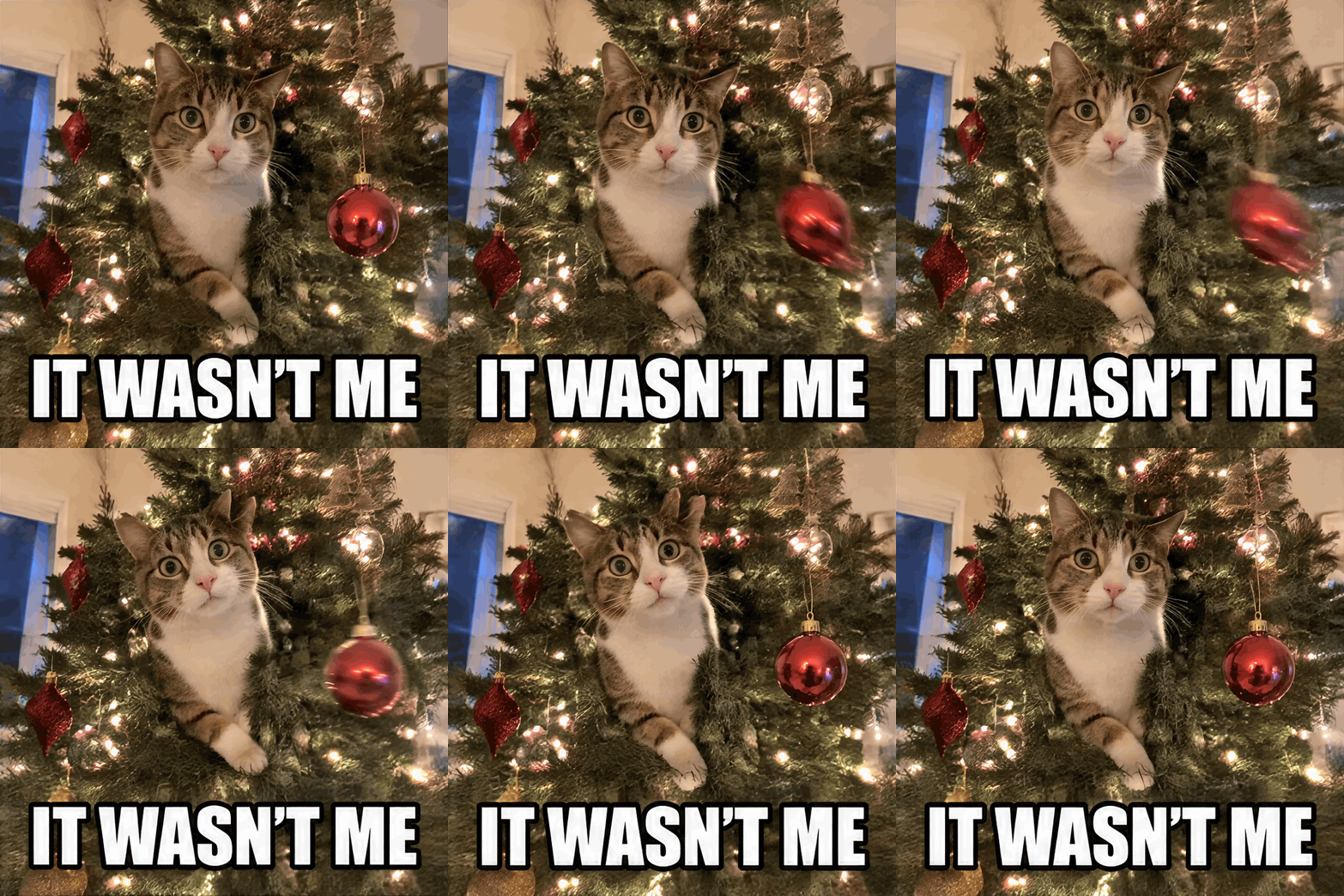
A cat halfway up the tree, an ornament still swinging, staring straight at the camera. Send it when someone asks who knocked something over.
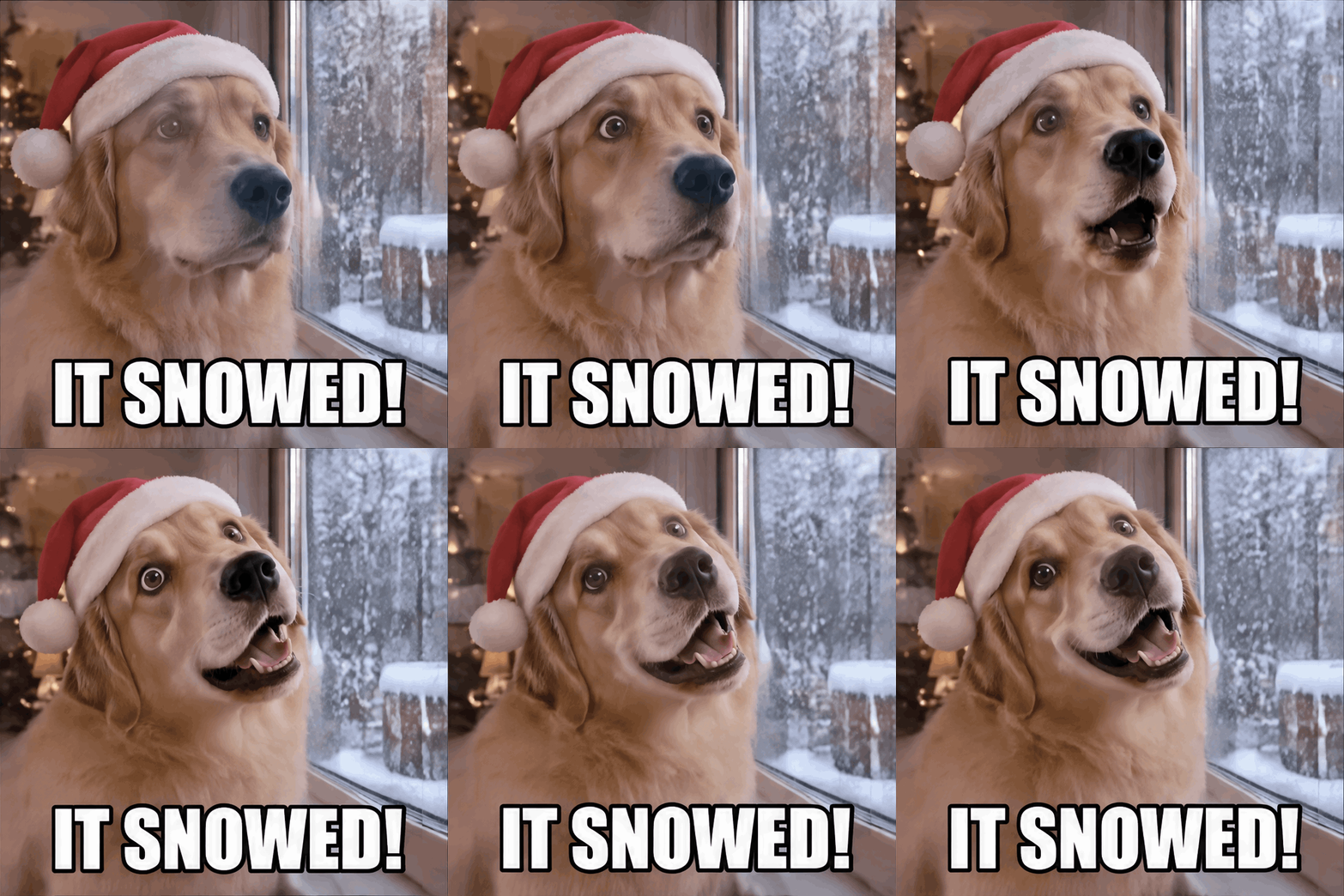
A dog in a Santa hat tilts its head at falling snow outside a frosty window. Send it on the first snowy morning, or whenever you want to say "it's finally winter".
Merry Christmas GIFs for the family group chat
For family, a warm greeting beats a joke. These two fit Christmas Eve and Christmas morning.

"Merry Christmas" in glitter letters. It works for grandparents, relatives and anyone who just wants a clean message.
Snow falling on a cabin with glowing windows and a lit tree, chimney smoke curling up. It is a landscape GIF, so it looks good full width in a chat. Send it late on Christmas Eve.
Christmas GIFs for coworkers
For Slack or Teams, keep it light. The glitter "Merry Christmas" and the snowy cabin are the safest picks for a team channel on the last working day before the break. The snow dog also fits, because everybody likes a dog in a Santa hat. Save the cat and the tree for the smaller group of coworkers who are actually friends.
12 more Christmas GIF prompts to copy
Each prompt has one subject and one repeating motion, so the GIF loops without a visible jump.
- "A cartoon reindeer with a glowing red nose nods and blinks, snowy night. Caption: "READY FOR TAKEOFF"."
- "A gingerbread man waves with one arm, icing buttons shining on a kitchen counter."
- "A fireplace with three stockings, flames flicker, the stockings sway slightly."
- "A snowman in a striped scarf tips his hat up and down. Caption: "HELLO THERE"."
- "A string of Christmas lights blinks red, green and gold in a repeating pattern."
- "A cartoon Santa-like man in a red suit, an original character, laughs and pats his belly. Caption: "HO HO HO"."
- "A wrapped present with a bow shakes gently, then rests, then shakes again. Caption: "DON'T PEEK"."
- "A hot chocolate mug with marshmallows, steam curls up in slow loops."
- "A little elf in a green hat, an original character, juggles three ornaments."
- "Glitter lettering "Merry Christmas, Mia" that sparkles. Swap in any name."
- "A cartoon penguin in a red scarf slides on its belly across the ice and back. Caption: "WEEEE"."
- "Animate my cat: the cat bats at a hanging ornament, then looks at the camera." (from your pet's photo, using Add a photo)
How to make your own Christmas GIF
A Christmas GIF maker should take a sentence, not an hour. This is how it works on ImagenGIF.
- Pick the tool. Use the GIF meme generator for a captioned reaction, the text to GIF maker for lettering such as glitter or snow, or the AI GIF generator for scenes. To animate your own pet or family photo, press "Add a photo" in the AI GIF generator.
- Describe one subject and one repeating motion. Add a short caption in quotes if you want words. More ideas are in our AI GIF prompts library.
- Use Standard, 12 frames and 120 ms. It gives a smooth loop for most Christmas GIFs. For a scene like the cabin, pick landscape and 3D style.
- Press generate. A Standard GIF is ready in about 20 seconds.
- Download it and send it.
You can also make a Christmas GIF inside ChatGPT now; can ChatGPT make GIFs? explains how and where it falls short.
Put a name in the caption, such as "MERRY CHRISTMAS, DAD", and the GIF is no longer something anyone can find on Giphy or Tenor. The same steps work for a birthday GIF maker card if someone in your family has a December birthday.
Two rules: no real celebrities or public figures, and no copyrighted characters such as the Grinch, Elf, Home Alone characters or Rudolph from the TV special. Describe an original character instead, like "a cartoon reindeer with a glowing red nose".
Sending tips
GIFs play inline in most chat apps, including iMessage, WhatsApp and Slack, and in many email apps. A 12-frame GIF from ImagenGIF is a few megabytes, which is fine for a group chat or a team channel. If an app shows only a still picture, send the GIF as a file or share the download link. Send a test to yourself first if the message matters.
FAQ
Are Christmas GIFs from ImagenGIF free? Signing up is free, but GIFs cost credits. A Standard GIF is 3 credits (4 at 16 frames) and an HD GIF is 6. Packs start at $4.99 for 40 credits and go up to $49.99 for 700, with no subscription. See pricing. A failed generation is refunded.
Can I add a name to my Christmas GIF? Yes. Put the name in the prompt or in a caption in quotes. For the cleanest lettering, use the text to GIF maker.
Can I use a photo of my family or pet? Yes, use photos you have the right to use. Press "Add a photo" and say what should move. Photos are deleted from our storage after 7 days. Do not upload photos of celebrities or public figures.
Can I post my Christmas GIFs on social media? Yes, share them with friends, family and followers. Do not use them to imitate real people or to pass off copyrighted characters as your own.
What is the best GIF size for a Christmas message? Square is the safest in chats. Portrait suits phone stories, and landscape suits a scene like a snowy cabin.
ImagenGIF is independent and not affiliated with OpenAI or Google.